

Pay your team
Pay your team directly from your Whop balance. Payments are instant and your team can cash out to their bank.
There’s a 3% fee for all team payments.
Pay your team through your Dashboard
- Go to Dashboard → Team.
- Click the Pay button next to the person you want to pay.
- Enter the amount you want to send.
- Select the Balance you’ll send the payment from.
- Add a note (optional).
- Click Send to send it.
The total amount you send includes the 3% fee.
When you send it, your team member gets an email and a DM notification. They can then go to Profile → Balance to cash out.

Pay your team through their profile
You can also send money to any Whop user through their profile — even if they’re not on your team.
- Click the user’s profile picture.
- If you know their username, go to their profile by entering whop.com/@[username] in your browser (e.g. whop.com/@George).
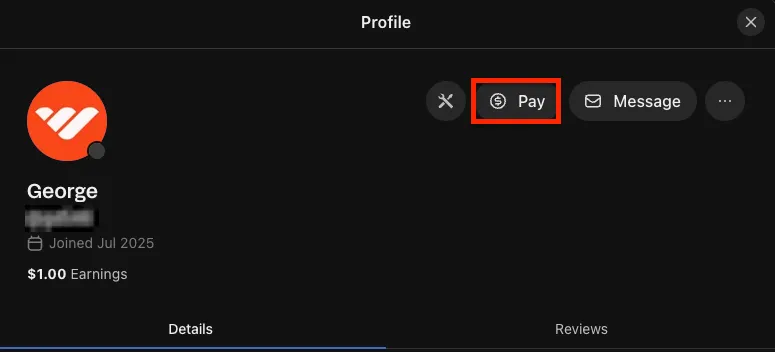
- On their profile, click the Pay button next to Message.
- Fill out the payment details:
- Enter amount: Type how much you want to send.
- Select the Balance you’ll send the payment from.
- Write a note: Add a note (optional).
- Click Send to send the money.
They’ll receive an email and message notification, and can cash out through Profile → Balance.